
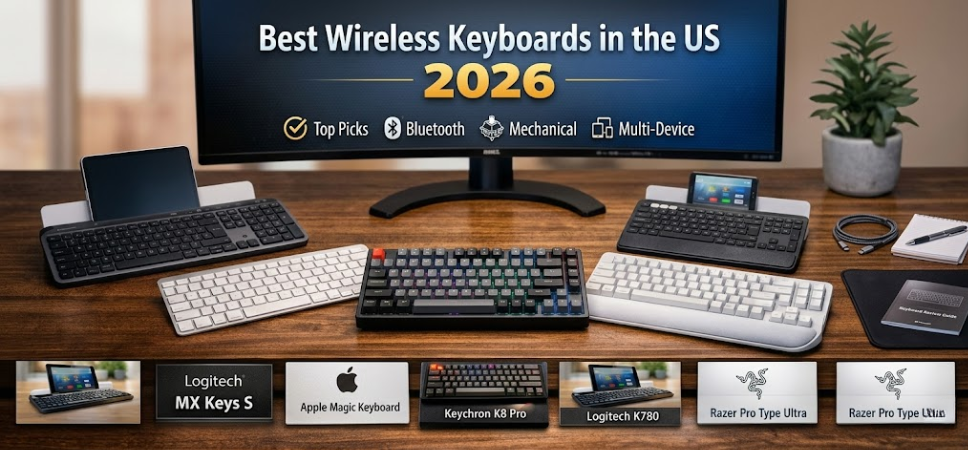
Best Wireless Keyboards in the US
Wireless keyboards have become an essential part of modern workspaces, gaming setups, and minimalist desk environments. As remote work, mobile productivity, and wireless technology continue to evolve, choosing the best wireless keyboard in the US requires more than just selecting a random model. The right keyboard must deliver excellent typing comfort, reliable connectivity, long battery life, premium build quality, and advanced features.
In this comprehensive guide, we explore the top wireless keyboards available in the United States, compare their key specifications, and provide a detailed breakdown to help professionals, gamers, students, and creators choose the best wireless keyboard for their needs.
Why Wireless Keyboards Are Dominating Modern Workspaces
The popularity of wireless keyboards continues to grow because they offer greater flexibility, cleaner desk setups, and improved portability. Without tangled cables, users enjoy a more organized workspace while maintaining full functionality.
Key advantages of wireless keyboards include:
-
Clutter-free desk setup
-
Portability for travel and remote work
-
Multi-device connectivity
-
Advanced Bluetooth and RF connectivity
-
Long battery life with rechargeable options
-
Ergonomic designs for long typing sessions
Professionals across industries now prefer wireless keyboards for laptops, tablets, desktops, and even smart TVs.
Top Wireless Keyboards in the US (2026)
Below is a curated selection of the best wireless keyboards available in the US market, chosen for their performance, reliability, design, and overall user experience.
| Keyboard Model | Connectivity | Battery Life | Best For | Price Range |
|---|---|---|---|---|
| Logitech MX Keys S | Bluetooth / USB Receiver | Up to 10 days with backlight | Professionals | $$$ |
| Apple Magic Keyboard | Bluetooth | Up to 1 month | Mac Users | $$$ |
| Keychron K8 Pro | Bluetooth / Wired | 240 hours | Mechanical enthusiasts | $$ |
| Logitech K780 | Bluetooth / USB Receiver | 24 months | Multi-device productivity | $$ |
| Razer Pro Type Ultra | Bluetooth / 2.4GHz | 200 hours | Gaming & productivity | $$$ |
| Microsoft Designer Compact | Bluetooth | 12 months | Minimalist setups | $ |
1. Logitech MX Keys S – The Ultimate Productivity Keyboard
The Logitech MX Keys S is widely considered one of the best wireless keyboards for professionals. Designed with precision and comfort in mind, it offers a premium typing experience with smart illumination and multi-device connectivity.
Key Features
-
Perfect stroke keys for accurate typing
-
Smart backlighting that adjusts automatically
-
Bluetooth and Logi Bolt USB receiver
-
Multi-device switching between 3 devices
-
USB-C rechargeable battery
-
Up to 10 days battery life with backlight
Why It Stands Out
The MX Keys S provides exceptional typing feedback, ultra-stable wireless connectivity, and seamless compatibility with Windows, macOS, Linux, iPadOS, and Android.
Best for: Professionals, programmers, writers, and office users.
2. Apple Magic Keyboard – Best Wireless Keyboard for Mac Users
Apple’s Magic Keyboard delivers a clean, minimalist design combined with precise typing and seamless macOS integration.
Key Features
-
Ultra-thin aluminum design
-
Scissor mechanism for responsive typing
-
Built-in rechargeable battery
-
Automatic pairing with Mac devices
-
Lightning or USB-C charging
Why It’s Popular
The keyboard integrates perfectly with MacBooks, iMacs, and iPads, providing a native typing experience optimized for Apple ecosystems.
Best for: Mac users, designers, and creative professionals.
3. Keychron K8 Pro – Best Wireless Mechanical Keyboard
Mechanical keyboard enthusiasts often prefer the Keychron K8 Pro, which combines mechanical switches with wireless convenience.
Key Features
-
Hot-swappable mechanical switches
-
Bluetooth 5.1 connectivity
-
Supports up to 3 devices
-
Mac and Windows compatibility
-
RGB backlighting
-
Aluminum frame option
Typing Experience
The K8 Pro offers tactile feedback, customizable switches, and superior durability, making it ideal for both coding and gaming.
Best for: Mechanical keyboard lovers and developers.
4. Logitech K780 – Best Multi-Device Wireless Keyboard
The Logitech K780 is a multi-device wireless keyboard designed for productivity across multiple platforms.
Key Features
-
Switch between 3 devices instantly
-
Integrated cradle for smartphones and tablets
-
Compatible with Windows, macOS, Android, and iOS
-
2-year battery life
-
Quiet and comfortable typing
Unique Advantage
Its built-in stand allows users to place their phone or tablet above the keyboard, creating a seamless multi-screen workstation.
Best for: Remote workers and multitaskers.
5. Razer Pro Type Ultra – Premium Wireless Keyboard for Work and Gaming
The Razer Pro Type Ultra blends gaming-grade performance with professional aesthetics.
Key Features
-
Silent mechanical switches
-
Ergonomic wrist rest
-
Multi-device wireless connectivity
-
White LED backlighting
-
Up to 200 hours battery life
Performance Advantage
Razer designed this keyboard to offer low-latency wireless performance, making it suitable for both office work and gaming.
Best for: Power users and hybrid gamers.
6. Microsoft Designer Compact Keyboard – Best Budget Wireless Keyboard
For those seeking affordable quality, the Microsoft Designer Compact Keyboard provides minimalist design and reliable Bluetooth connectivity.
Key Features
-
Ultra-slim and lightweight
-
Bluetooth connectivity
-
Optimized key spacing
-
Dedicated emoji and screenshot keys
-
Long battery life
Best for: Students and budget-conscious users.
Essential Features to Look for in a Wireless Keyboard
Selecting the best wireless keyboard in the US requires evaluating several important features.
1. Connectivity Options
Wireless keyboards typically use:
-
Bluetooth
-
2.4 GHz USB receivers
-
Dual wireless modes
Bluetooth provides multi-device flexibility, while USB receivers offer lower latency.
2. Battery Life
Battery performance varies significantly between models.
| Keyboard Type | Typical Battery Life |
|---|---|
| Basic Bluetooth keyboard | 6–12 months |
| Backlit wireless keyboard | 5–10 days |
| Mechanical wireless keyboard | 100–240 hours |
Rechargeable keyboards are becoming more common and eco-friendly.
3. Ergonomic Design
Comfort matters during long typing sessions.
Look for keyboards that offer:
-
Curved or split designs
-
Palm rests
-
Low-profile keys
-
Proper key spacing
These features help reduce wrist strain and improve typing efficiency.
4. Multi-Device Switching
Many modern wireless keyboards allow users to connect to multiple devices simultaneously.
This is extremely useful for people working across:
-
Laptop
-
Tablet
-
Smartphone
-
Desktop computer
Switching between devices can often be done with a single button press.
5. Build Quality
Premium keyboards use materials such as:
-
Aluminum frames
-
High-quality ABS or PBT keycaps
-
Mechanical switch components
Better materials lead to longer lifespan and better typing feedback.
Wireless Keyboard vs Wired Keyboard
| Feature | Wireless Keyboard | Wired Keyboard |
|---|---|---|
| Mobility | Excellent | Limited |
| Desk Setup | Clean | Cable clutter |
| Latency | Slightly higher | Very low |
| Battery | Required | Not needed |
| Gaming | Good | Excellent |
For most users, wireless keyboards provide the perfect balance of convenience and performance.
Best Wireless Keyboards by Use Case
Best for Office Work
-
Logitech MX Keys S
-
Microsoft Designer Compact
Best for Gaming
-
Razer Pro Type Ultra
-
Keychron K8 Pro
Best for Mac Users
-
Apple Magic Keyboard
Best for Multi-Device Users
-
Logitech K780
Tips for Maintaining Your Wireless Keyboard
Proper maintenance ensures long-lasting performance and reliability.
Maintenance tips:
-
Clean keys regularly using compressed air
-
Avoid liquid spills near the keyboard
-
Keep firmware updated if supported
-
Recharge batteries before full depletion
-
Store the keyboard in a dust-free environment
These habits help extend the lifespan and performance of your wireless keyboard.
Future Trends in Wireless Keyboard Technology
The wireless keyboard market continues to evolve rapidly. Upcoming innovations include:
-
AI-powered shortcut customization
-
Adaptive backlighting
-
Ultra-low latency wireless connections
-
Smart gesture keys
-
Integrated fingerprint authentication
As technology advances, wireless keyboards will become even more powerful productivity tools.
FAQs
1. What is the best wireless keyboard in the US?
The Logitech MX Keys S is widely considered the best wireless keyboard for productivity.
2. Are wireless keyboards good for gaming?
Yes, modern wireless keyboards offer low latency suitable for gaming.
3. How long do wireless keyboard batteries last?
Battery life ranges from 10 days to 24 months depending on the model.
4. Do wireless keyboards lag?
High-quality wireless keyboards have minimal or no noticeable lag.
5. Are Bluetooth keyboards reliable?
Yes, Bluetooth keyboards provide stable connections with modern devices.
6. Can wireless keyboards connect to multiple devices?
Many models support multi-device switching between 2–3 devices.
7. Are mechanical wireless keyboards better?
Mechanical keyboards provide better tactile feedback and durability.
8. Can I use a wireless keyboard with a smart TV?
Yes, many smart TVs support Bluetooth keyboards.
9. Do wireless keyboards work with tablets?
Yes, Bluetooth keyboards work perfectly with tablets.
10. Are wireless keyboards secure?
Modern wireless keyboards use encrypted connections.
11. What is the best budget wireless keyboard?
The Microsoft Designer Compact Keyboard is an excellent budget option.
12. Can wireless keyboards work with phones?
Yes, Bluetooth keyboards connect easily to smartphones.
13. Do wireless keyboards require drivers?
Most wireless keyboards work plug-and-play.
14. Are rechargeable keyboards better?
Rechargeable keyboards are more eco-friendly and convenient.
15. What is multi-device pairing?
It allows a keyboard to connect to multiple devices simultaneously.
16. Do wireless keyboards have backlights?
Some premium models include adjustable backlighting.
17. Are wireless keyboards portable?
Yes, they are lightweight and travel-friendly.
18. Can wireless keyboards work with gaming consoles?
Some consoles support keyboard input.
19. Do wireless keyboards need charging often?
Backlit models may require charging every 7–10 days.
20. Are wireless keyboards durable?
High-quality models can last many years.
21. What is the difference between Bluetooth and RF keyboards?
Bluetooth connects directly to devices, while RF uses a USB receiver.
22. Do wireless keyboards support Mac and Windows?
Most modern keyboards support both platforms.
23. Are wireless keyboards ergonomic?
Many models include ergonomic features for comfort.
24. Can I use wireless keyboards for programming?
Yes, many developers prefer mechanical wireless keyboards.
25. Are wireless keyboards worth buying?
Yes, they offer convenience, flexibility, and modern functionality.