
Reliable internet connectivity has become a critical requirement for modern homes and offices across the United States. With the increasing number of smart devices, streaming services, remote work tools, and online gaming platforms, many households struggle with weak WiFi signals, slow speeds, and frustrating dead zones.
WiFi extenders provide a powerful solution by expanding wireless coverage, strengthening signal stability, and delivering consistent internet performance throughout large homes and buildings. Modern extenders now support WiFi 6 technology, mesh networking compatibility, high-speed dual-band connectivity, and seamless device roaming.
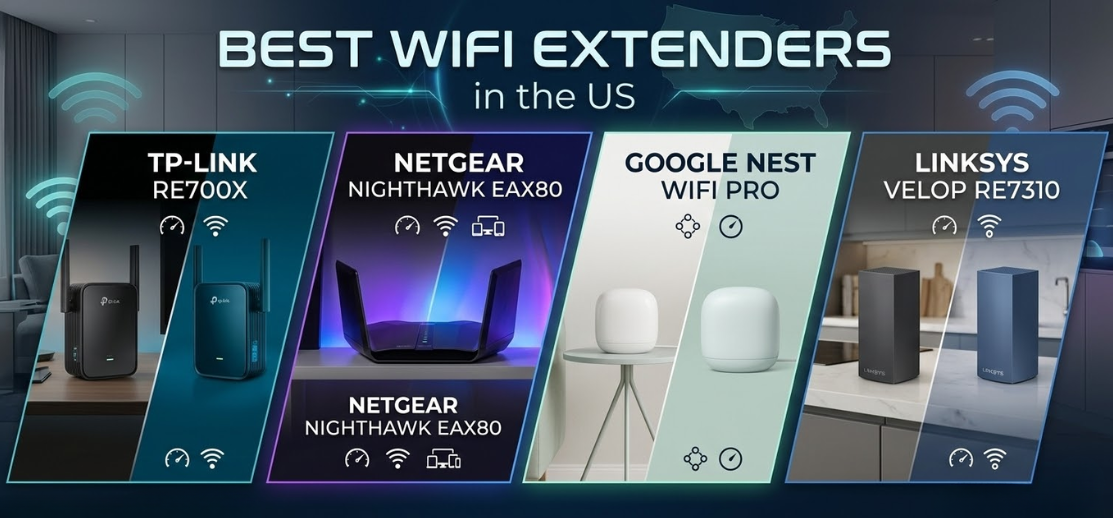
This comprehensive guide presents the best WiFi extenders in the US, carefully selected for their range, speed, compatibility, advanced features, and reliability.
What Is a WiFi Extender and How It Enhances Network Coverage
A WiFi extender, also known as a WiFi repeater or signal booster, is a networking device designed to amplify and rebroadcast an existing wireless signal. By capturing the signal from your primary router and transmitting it further, the extender expands coverage to areas where WiFi previously struggled to reach.
Typical problem areas include:
-
Basements
-
Large multi-story homes
-
Outdoor patios
-
Detached garages
-
Upper-floor bedrooms
With the right extender, users experience stable streaming, faster downloads, smoother video conferencing, and improved online gaming performance.
Key Features to Look for in a WiFi Extender
Selecting the best WiFi extender requires evaluating several technical specifications that directly impact wireless performance.
1. Wireless Speed and Bandwidth
WiFi extenders operate on dual-band or tri-band technology.
Typical speeds include:
-
AC1200 – Ideal for small homes
-
AC1900 – Excellent for streaming and gaming
-
AX3000 – Perfect for high-speed WiFi 6 networks
Higher bandwidth ensures faster internet speeds and reduced network congestion.
2. Coverage Range
Coverage determines how far the extender can broadcast WiFi signals.
Typical coverage capabilities include:
-
1,500 square feet
-
3,000 square feet
-
5,000 square feet or more
Large homes benefit from high-power extenders with advanced antennas.
3. WiFi Standard Compatibility
Modern extenders support advanced WiFi standards such as:
-
WiFi 5 (802.11ac)
-
WiFi 6 (802.11ax)
WiFi 6 extenders provide higher speeds, improved device handling, and better network efficiency.
4. Ethernet Ports
Many extenders include Gigabit Ethernet ports, allowing wired devices such as:
-
Smart TVs
-
Gaming consoles
-
Desktop computers
-
Network switches
to connect directly for ultra-stable internet performance.
5. Easy Setup and Management
Modern extenders feature:
-
Mobile app setup
-
One-touch WPS pairing
-
Smart signal indicators
-
Automatic firmware updates
These tools simplify installation and ensure optimal signal placement.
Top 10 Best WiFi Extenders in the US
Below are the top-performing WiFi extenders available in the US market, offering superior signal strength and reliable connectivity.
1. NETGEAR Nighthawk EAX80 – Best Overall WiFi Extender
The NETGEAR Nighthawk EAX80 is one of the most powerful WiFi extenders available, delivering exceptional speed and coverage.
Key Features
-
AX6000 WiFi 6 performance
-
Coverage up to 2,500 square feet
-
Four high-performance antennas
-
Gigabit Ethernet ports
-
Smart roaming support
Performance
This extender delivers ultra-fast speeds ideal for streaming, gaming, and smart homes.
2. TP-Link RE650 – Best High-Speed WiFi Extender
The TP-Link RE650 provides AC2600 dual-band performance, making it ideal for demanding internet users.
Key Features
-
4-stream dual-band WiFi
-
Coverage up to 2,000 square feet
-
Gigabit Ethernet port
-
Intelligent signal indicator
Advantages
It offers strong coverage and easy installation, making it a popular choice for large homes.
3. NETGEAR EX8000 – Best Tri-Band WiFi Extender
The NETGEAR EX8000 uses tri-band technology to deliver superior performance.
Key Features
-
AC3000 tri-band WiFi
-
Smart roaming technology
-
Seamless network switching
-
Coverage up to 2,500 square feet
Why It’s Powerful
Tri-band technology ensures smooth performance even with multiple connected devices.
4. TP-Link RE715X – Best WiFi 6 Extender
The TP-Link RE715X is designed for modern WiFi 6 networks.
Key Features
-
AX3000 WiFi 6 speeds
-
OFDMA and MU-MIMO support
-
Seamless mesh compatibility
-
Advanced signal optimization
Advantages
This extender delivers excellent speeds and future-proof networking capabilities.
5. Linksys RE7000 – Best Compact WiFi Extender
The Linksys RE7000 is a compact yet powerful signal booster.
Key Features
-
AC1900 dual-band speeds
-
Seamless roaming
-
Compact wall-plug design
-
Easy setup via mobile app
Best For
Small to medium homes requiring reliable signal expansion.
6. TP-Link RE505X – Best Budget WiFi 6 Extender
The TP-Link RE505X offers affordable WiFi 6 performance.
Key Features
-
AX1500 speeds
-
Dual-band connectivity
-
Intelligent signal indicators
-
Compact wall-mount design
Advantages
This extender provides excellent value for budget-conscious users.
7. ASUS RP-AX58 – Best Gaming WiFi Extender
The ASUS RP-AX58 is optimized for low-latency gaming and high-speed streaming.
Key Features
-
AX3000 WiFi 6 performance
-
Dedicated gaming optimization
-
AiMesh compatibility
-
Advanced security features
8. NETGEAR EX7300 – Best Performance Extender
The NETGEAR EX7300 offers fast AC2200 speeds and excellent coverage.
Key Features
-
FastLane technology
-
MU-MIMO support
-
Smart roaming
-
Gigabit Ethernet port
9. TP-Link RE550 – Best Coverage Extender
The TP-Link RE550 provides excellent signal strength with three adjustable antennas.
Key Features
-
AC1900 dual-band speeds
-
Smart signal indicators
-
Wide coverage range
-
Simple WPS setup
10. D-Link DAP-X1870 – Best Mesh Compatible Extender
The D-Link DAP-X1870 integrates seamlessly with mesh networking systems.
Key Features
-
AX1800 WiFi 6 speeds
-
Mesh compatibility
-
Intelligent device management
-
Dual-band performance
WiFi Extender Comparison Table
| WiFi Extender | Speed | Coverage | WiFi Standard | Best For |
|---|---|---|---|---|
| NETGEAR EAX80 | AX6000 | 2500 sq ft | WiFi 6 | High-speed homes |
| TP-Link RE650 | AC2600 | 2000 sq ft | WiFi 5 | Streaming |
| NETGEAR EX8000 | AC3000 | 2500 sq ft | WiFi 5 | Multi-device networks |
| TP-Link RE715X | AX3000 | 2000 sq ft | WiFi 6 | Modern routers |
| ASUS RP-AX58 | AX3000 | 2000 sq ft | WiFi 6 | Gaming |
WiFi Extender vs Mesh WiFi Systems
| Feature | WiFi Extender | Mesh WiFi |
|---|---|---|
| Cost | Lower | Higher |
| Coverage | Moderate | Whole-home |
| Setup | Simple | Slightly complex |
| Roaming | Limited | Seamless |
Mesh systems provide whole-home coverage, while extenders are cost-effective solutions for eliminating specific dead zones.
Best Placement for Maximum WiFi Performance
Proper placement dramatically improves signal quality.
Optimal Placement Tips
-
Position the extender halfway between router and dead zone
-
Avoid placing near thick walls or metal surfaces
-
Keep the device elevated above furniture
-
Use signal indicators to find optimal positioning
Common Causes of Weak WiFi Signals
Several factors can reduce wireless performance.
Signal Interference Sources
-
Thick concrete walls
-
Large metal appliances
-
Microwave ovens
-
Bluetooth devices
-
Multiple connected devices
Using a high-quality extender helps overcome these signal barriers effectively.
Future Trends in WiFi Extender Technology
The networking industry continues evolving rapidly.
Emerging Innovations
-
WiFi 7 technology
-
AI-powered network optimization
-
Smart device prioritization
-
Advanced security protection
-
Seamless mesh integration
These advancements will deliver faster speeds, stronger coverage, and smarter network management.
FAQs
1. What is the best WiFi extender in the US?
The NETGEAR Nighthawk EAX80 is widely regarded as the best due to its AX6000 performance and wide coverage.
2. Do WiFi extenders increase internet speed?
They improve signal strength and stability, which often results in faster speeds.
3. How far can a WiFi extender reach?
Most extenders cover 1,500 to 2,500 square feet.
4. Can WiFi extenders support gaming?
Yes. High-speed models provide low latency connections ideal for gaming.
5. Are WiFi 6 extenders worth it?
Yes. WiFi 6 offers higher speeds and better device management.
6. How many devices can connect to an extender?
Most support 20–50 devices simultaneously.
7. Can I use multiple WiFi extenders?
Yes, but proper placement is essential.
8. Do extenders work with any router?
Most models are compatible with all major router brands.
9. Are WiFi extenders easy to install?
Yes. Most support plug-and-play setup.
10. Can extenders connect with Ethernet?
Many include Gigabit Ethernet ports.
11. Do WiFi extenders reduce speed?
Some speed reduction may occur, but modern extenders minimize this.
12. What is dual-band WiFi?
It allows devices to connect on 2.4GHz and 5GHz frequencies.
13. What is tri-band WiFi?
Tri-band provides two 5GHz bands for better performance.
14. Do extenders support smart homes?
Yes. They improve connectivity for IoT devices.
15. Can extenders improve streaming quality?
Yes, by stabilizing network signals.
16. Are extenders better than repeaters?
Many extenders function as both extenders and repeaters.
17. What is MU-MIMO technology?
It allows multiple devices to receive data simultaneously.
18. What is OFDMA?
A technology used in WiFi 6 to increase network efficiency.
19. Do extenders require software updates?
Yes. Updates improve security and performance.
20. Are extenders safe for networks?
Yes. They support advanced encryption protocols.
21. Can extenders cover outdoor areas?
Yes, depending on signal strength and placement.
22. Do extenders work with fiber internet?
Yes, as long as they connect to the router.
23. What is Smart Roaming?
A feature allowing devices to automatically connect to the strongest signal.
24. How long do WiFi extenders last?
Most last 5–7 years with proper use.
25. How do I choose the best WiFi extender?
Consider:
-
Coverage area
-
Speed requirements
-
Router compatibility
-
Connectivity features
-
Budget
For more information and to start using Deonus.com, visit our official website and download the app to stay updated on the best deals and offers. With Deonus.com, you can ensure that every shopping experience is not just an opportunity to shop but an opportunity to save big