
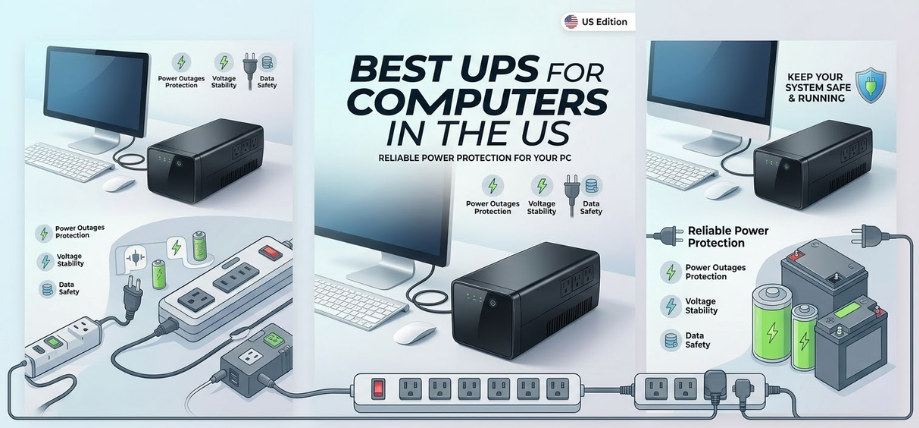
Computers have become the central hub of productivity, communication, gaming, and digital creativity in modern homes and offices. However, power outages, voltage fluctuations, and sudden electrical surges can instantly damage sensitive electronics or cause the loss of valuable data. A high-quality UPS (Uninterruptible Power Supply) ensures that computers remain protected and operational even when power interruptions occur.
In this comprehensive guide, we explore the best UPS for computers, covering top models, essential features, performance comparisons, buying tips, and maintenance insights. By understanding how modern UPS systems work and what features matter most, we can confidently select the most reliable power backup solution for desktops, workstations, gaming PCs, and home offices.
Understanding UPS Systems for Computer Protection
A UPS is a power backup device that instantly supplies electricity to connected equipment when the main power source fails. Unlike traditional generators or inverters, a UPS responds within milliseconds, preventing computer shutdowns and protecting sensitive hardware.
Primary Functions of a UPS
-
Power backup during outages
-
Voltage regulation
-
Surge protection
-
Data protection
-
Safe system shutdown capability
Modern UPS devices combine battery backup technology, intelligent voltage regulation, and advanced monitoring systems, ensuring consistent power delivery to computers and networking equipment.
Types of UPS Systems for Computers
Different UPS technologies provide varying levels of power protection and performance.
Offline / Standby UPS
Offline UPS systems activate the battery only when power interruptions occur.
Key Characteristics
-
Affordable and compact
-
Basic power backup capability
-
Suitable for home computers
These UPS units are ideal for personal desktops, routers, and small office setups.
Line-Interactive UPS
Line-interactive UPS systems include automatic voltage regulation (AVR), which stabilizes voltage fluctuations.
Key Characteristics
-
Better power conditioning
-
Longer battery life
-
Reliable for professional workstations
These models are widely used in home offices, gaming setups, and small business environments.
Online UPS
Online UPS systems provide continuous power from the battery inverter, delivering the highest level of protection.
Key Characteristics
-
Zero transfer time
-
Maximum voltage stability
-
Ideal for critical systems
These UPS systems are commonly used for servers, data centers, and professional workstations.
Essential Features of the Best UPS for Computers
Selecting the right UPS requires evaluating several critical technical specifications and performance features.
1. Power Capacity (VA Rating)
UPS capacity is measured in Volt-Amperes (VA) and determines how much load the device can handle.
| UPS Capacity | Suitable For |
|---|---|
| 600–800 VA | Basic home computers |
| 1000–1500 VA | Gaming PCs and office desktops |
| 2000+ VA | Servers and professional workstations |
Choosing the correct capacity ensures stable power delivery without overload risk.
2. Battery Runtime
Battery runtime determines how long the UPS can power connected devices during outages.
Typical runtime ranges from:
-
5–10 minutes for basic systems
-
15–30 minutes for high-capacity units
This duration provides enough time to save work and safely shut down computers.
3. Automatic Voltage Regulation (AVR)
AVR technology stabilizes high and low voltage conditions without switching to battery mode.
Benefits
-
Protects computers from voltage spikes
-
Reduces battery wear
-
Ensures consistent system performance
4. Surge Protection
Surge protection shields computers from lightning strikes and electrical spikes that can damage hardware.
Quality UPS devices include advanced surge suppression circuits.
5. USB Monitoring and Software Integration
Modern UPS systems include USB communication ports and monitoring software.
These features allow:
-
Battery monitoring
-
Automatic shutdown scheduling
-
Power usage analytics
This functionality is essential for data protection and energy management.
Best UPS for Computers in 2026
Below are some of the top-performing UPS models designed to deliver reliable power protection for computers.
1. APC Back-UPS Pro 1500VA
Key Specifications
-
1500 VA capacity
-
LCD display
-
Automatic voltage regulation
-
Multiple battery backup outlets
Performance Highlights
This model offers excellent voltage regulation, strong battery capacity, and reliable surge protection, making it ideal for gaming PCs and workstations.
2. CyberPower CP1500PFCLCD UPS
Key Specifications
-
1500 VA / 900 W capacity
-
Pure sine wave output
-
Multifunction LCD display
-
Energy-saving technology
Performance Highlights
Designed for high-performance gaming systems and advanced workstations, this UPS delivers clean power output and efficient battery management.
3. Eaton 5S UPS
Key Specifications
-
Compact tower design
-
Intelligent power management
-
Automatic voltage regulation
-
USB connectivity
Performance Highlights
Eaton UPS devices are known for durability, reliability, and excellent power protection.
4. Vertiv Liebert PSA5 UPS
Key Specifications
-
1500 VA capacity
-
Battery and surge protection outlets
-
Automatic voltage regulation
-
LCD status display
Performance Highlights
This model provides robust backup power and professional-grade protection for office systems.
5. APC Smart-UPS 2200VA
Key Specifications
-
Enterprise-grade protection
-
Pure sine wave output
-
Advanced battery management
-
Remote monitoring capability
Performance Highlights
This UPS is designed for servers, advanced workstations, and mission-critical equipment.
Comparison Table of the Best UPS for Computers
| UPS Model | Capacity | Type | Ideal Use | Key Feature |
|---|---|---|---|---|
| APC Back-UPS Pro | 1500 VA | Line-interactive | Home & gaming PCs | LCD monitoring |
| CyberPower CP1500PFCLCD | 1500 VA | Line-interactive | High-performance systems | Pure sine wave |
| Eaton 5S | 1000 VA | Line-interactive | Office computers | Compact design |
| Vertiv PSA5 | 1500 VA | Line-interactive | Business workstations | Reliable AVR |
| APC Smart-UPS | 2200 VA | Online UPS | Servers | Advanced power conditioning |
Benefits of Using a UPS for Computers
A UPS delivers critical advantages for both home and professional users.
Major Advantages
-
Prevents data loss during power outages
-
Protects hardware from voltage damage
-
Maintains uninterrupted workflow
-
Extends computer lifespan
-
Provides surge protection
These benefits make UPS systems essential for modern computing environments.
UPS Battery Technologies
Different UPS models use various battery technologies for energy storage.
Sealed Lead Acid (SLA)
-
Affordable
-
Reliable
-
Common in consumer UPS devices
Lithium-Ion Batteries
-
Longer lifespan
-
Faster charging
-
Higher efficiency
Lithium-ion UPS systems are increasingly popular in modern power backup solutions.
How to Choose the Best UPS for Your Computer
Selecting the right UPS depends on power requirements, system configuration, and usage patterns.
Step 1: Calculate Power Consumption
Add the wattage of all connected devices, including:
-
Computer
-
Monitor
-
Router
-
External drives
Step 2: Choose Appropriate Capacity
Select a UPS with at least 20–30% higher capacity than total load.
Step 3: Evaluate Battery Runtime
Ensure sufficient runtime for saving work and safely shutting down systems.
Step 4: Consider Expandability
Some UPS models allow external battery expansion for extended runtime.
Best UPS for Different Computer Setups
Home Computers
Recommended capacity: 600–1000 VA
Gaming PCs
Recommended capacity: 1200–1500 VA
Professional Workstations
Recommended capacity: 1500–2000 VA
Servers
Recommended capacity: 2000+ VA
Selecting the correct UPS ensures optimal power stability and protection.
UPS Installation Tips
Proper installation ensures maximum efficiency and safety.
Important Installation Practices
-
Place UPS on a flat, ventilated surface
-
Avoid high humidity environments
-
Keep UPS away from direct heat sources
-
Connect only essential equipment to battery outlets
These steps help ensure stable operation and longer battery life.
UPS Maintenance Tips
Regular maintenance keeps UPS systems reliable and efficient.
Key Maintenance Practices
-
Replace batteries every 3–5 years
-
Keep vents free of dust
-
Test battery backup monthly
-
Monitor system load regularly
Proper maintenance ensures consistent power protection.
Future Trends in UPS Technology
Power protection technology continues to evolve rapidly.
Emerging UPS Innovations
-
AI-based power management
-
Cloud monitoring systems
-
High-efficiency lithium battery UPS
-
Smart energy analytics
These innovations will deliver greater efficiency, longer battery life, and improved system monitoring.
FAQs
1. What is a UPS for computers?
A UPS is a battery backup device that provides emergency power during outages.
2. How long does a UPS last?
Most UPS batteries last 3–5 years.
3. What capacity UPS is needed for a computer?
Typically 600–1500 VA depending on system power.
4. Can a UPS power a gaming PC?
Yes, a 1500 VA UPS is recommended for gaming systems.
5. Does a UPS protect against voltage spikes?
Yes, UPS devices include surge protection circuits.
6. What is AVR in UPS?
Automatic Voltage Regulation stabilizes voltage fluctuations.
7. Are pure sine wave UPS better?
Yes, they provide clean power for sensitive electronics.
8. Can a UPS power multiple devices?
Yes, depending on its capacity and load limit.
9. How long can UPS power a computer?
Usually 5–20 minutes depending on load.
10. Can UPS batteries be replaced?
Yes, most UPS systems allow battery replacement.
11. What is transfer time?
It is the time taken for UPS to switch to battery power.
12. Is UPS necessary for home computers?
Yes, it protects against power interruptions and hardware damage.
13. Do UPS devices consume electricity?
Yes, but power consumption is minimal.
14. Can UPS prevent data loss?
Yes, by providing backup power to save files.
15. How heavy is a UPS?
Typical units weigh 6–20 kg.
16. Are UPS devices noisy?
Most modern UPS systems are quiet.
17. Can UPS run printers?
It is recommended to avoid connecting laser printers.
18. Do UPS systems require maintenance?
Yes, periodic battery checks and replacements.
19. What is load capacity?
Maximum power a UPS can safely support.
20. Can UPS work with inverters?
Yes, but configuration must be properly managed.
21. What is battery runtime?
The duration UPS can supply power during outages.
22. Can UPS protect networking devices?
Yes, routers and modems can be connected.
23. Is lithium UPS better than lead-acid?
Lithium batteries offer longer lifespan and faster charging.
24. Can UPS run continuously?
UPS systems operate continuously as power conditioners.
25. What brand makes the best UPS?
Leading brands include APC, CyberPower, Eaton, and Vertiv.
For more information and to start using Deonus.com, visit our official website and download the app to stay updated on the best deals and offers. With Deonus.com, you can ensure that every shopping experience is not just an opportunity to shop but an opportunity to save big