
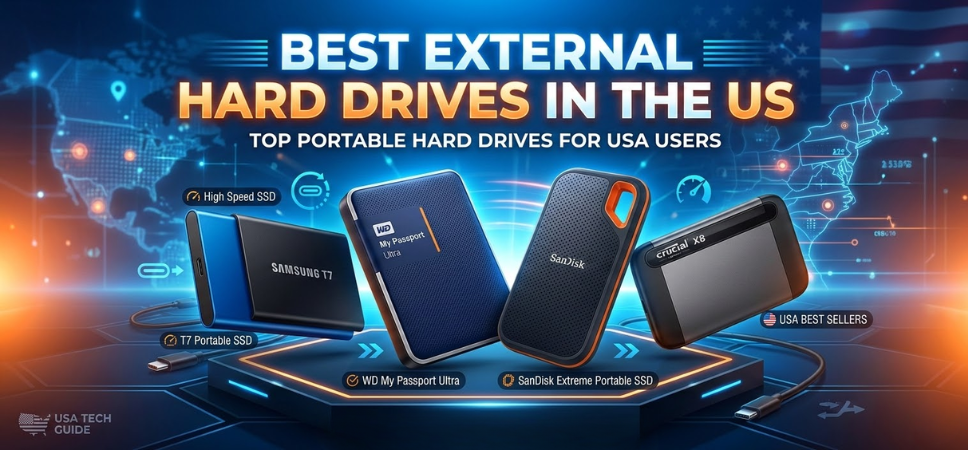
Digital storage needs have grown dramatically as individuals and businesses generate enormous volumes of high-resolution photos, 4K videos, gaming libraries, business documents, creative assets, and system backups. Reliable storage solutions are essential for data security, portability, and high-speed file transfers. Among the most practical solutions available today are external hard drives, which offer large storage capacity, portability, and compatibility with multiple devices.
External hard drives have evolved into powerful storage tools capable of supporting professional workflows, large multimedia collections, and enterprise-level backup systems. The best models deliver fast transfer speeds, robust build quality, reliable data protection, and seamless compatibility with Windows, macOS, gaming consoles, and smart devices.
This in-depth guide explores the best external hard drives in the US, highlighting devices that deliver outstanding performance, durability, large capacities, and excellent value for everyday users and professionals alike.
What Is an External Hard Drive
An external hard drive is a portable storage device that connects to computers and other digital devices using USB, USB-C, or Thunderbolt interfaces. These drives store files externally rather than relying solely on internal system storage.
External drives provide expanded storage space, secure backups, and portable data management for users who handle large amounts of digital content.
Typical uses include:
-
File backups
-
Multimedia storage
-
Gaming libraries
-
Professional video editing projects
-
Secure document archiving
External drives offer large capacities ranging from 1TB to 20TB, making them ideal for storing large datasets and multimedia libraries.
Key Features to Consider When Choosing an External Hard Drive
Selecting the best external hard drive requires evaluating several technical specifications that influence performance, durability, and usability.
Storage Capacity
Capacity determines how much data the drive can store. Common options include:
-
1TB – Basic file storage
-
2TB – Ideal for everyday users
-
4TB – Suitable for multimedia libraries
-
8TB or more – Professional backup solutions
Large capacity drives are essential for photographers, videographers, and gamers who manage massive file collections.
Transfer Speed
Transfer speed affects how quickly files can move between devices.
Two primary technologies are used:
HDD (Hard Disk Drive)
-
Average speeds: 100–160 MB/s
-
Affordable large capacities
-
Ideal for backups and bulk storage
SSD (Solid State Drive)
-
Speeds up to 1000 MB/s or more
-
Faster performance
-
More durable with no moving parts
SSD drives are preferred for professional workflows and fast data transfers.
Connectivity Options
Modern external drives support several connection types.
Common options include:
-
USB 3.0
-
USB 3.2
-
USB-C
-
Thunderbolt 3 and 4
These interfaces ensure fast transfer speeds and compatibility with modern devices.
Portability and Design
Portable external drives feature:
-
Compact lightweight designs
-
Shock-resistant casings
-
Travel-friendly durability
These characteristics allow users to carry data securely while traveling or working remotely.
Security and Data Protection
Advanced drives include built-in protection features such as:
-
Hardware encryption
-
Password protection
-
Automatic backup software
These tools ensure data privacy and long-term security.
Top 10 Best External Hard Drives in the US
The following devices represent the best external hard drives available in the US, offering exceptional storage capacity, reliability, and performance.
1. Western Digital My Passport – Best Overall External Hard Drive
The Western Digital My Passport remains one of the most popular external hard drives due to its reliability, compact design, and large capacity options.
Key Features
-
Capacities up to 5TB
-
256-bit AES hardware encryption
-
Automatic backup software
-
USB 3.2 connectivity
-
Lightweight portable design
Performance
This drive delivers excellent balance between affordability, storage capacity, and dependable performance.
2. Seagate Backup Plus Slim – Best Portable Hard Drive
The Seagate Backup Plus Slim offers large storage capacity in a sleek and lightweight design.
Key Features
-
Storage options up to 5TB
-
USB 3.0 connectivity
-
Automatic backup functionality
-
Cross-platform compatibility
Advantages
Ideal for students, professionals, and everyday users requiring reliable portable storage.
3. Samsung T7 Portable SSD – Best High-Speed External Drive
The Samsung T7 Portable SSD delivers extremely fast data transfer speeds and durable construction.
Key Features
-
Transfer speeds up to 1050 MB/s
-
USB-C connectivity
-
AES 256-bit encryption
-
Compact aluminum body
Performance
Perfect for video editing, photography workflows, and professional data transfers.
4. SanDisk Extreme Portable SSD – Best Rugged External Drive
The SanDisk Extreme Portable SSD is built for durability and high-speed performance.
Key Features
-
Up to 2000 MB/s speeds
-
IP55 water and dust resistance
-
Shock-resistant construction
-
Compact travel-friendly design
Best For
Outdoor professionals and content creators needing rugged storage solutions.
5. LaCie Rugged Mini – Best Durable Hard Drive
The LaCie Rugged Mini is known for its iconic orange protective casing and professional-grade durability.
Key Features
-
Shock-resistant design
-
USB-C connectivity
-
Up to 5TB storage
-
Drop protection
6. Toshiba Canvio Basics – Best Budget External Hard Drive
The Toshiba Canvio Basics offers reliable storage at an affordable price.
Key Features
-
Capacities up to 4TB
-
USB 3.0 interface
-
Plug-and-play setup
-
Compact design
7. WD Black P10 Game Drive – Best External Hard Drive for Gaming
The WD Black P10 is specifically designed for gaming consoles and large game libraries.
Key Features
-
Up to 5TB storage
-
High-speed performance
-
Compatible with PlayStation and Xbox
-
Durable design
8. G-Technology ArmorATD – Best Professional Backup Drive
The G-Technology ArmorATD is built for professional photographers and filmmakers.
Key Features
-
Military-grade durability
-
Shock and water resistance
-
USB-C compatibility
-
Rugged protective design
9. Samsung T5 EVO – Best Compact SSD Storage
The Samsung T5 EVO combines high-speed SSD technology with exceptional reliability.
Key Features
-
Fast USB 3.2 speeds
-
Lightweight design
-
Hardware encryption
-
Compact aluminum body
10. Seagate Expansion Desktop – Best Large Capacity Drive
The Seagate Expansion Desktop offers massive storage capacity for backup systems.
Key Features
-
Storage up to 20TB
-
Desktop form factor
-
High-speed USB connectivity
-
Ideal for full system backups
External Hard Drive Comparison Table
| Drive | Storage Capacity | Type | Speed | Best Use |
|---|---|---|---|---|
| WD My Passport | Up to 5TB | HDD | 120 MB/s | General storage |
| Seagate Backup Plus | Up to 5TB | HDD | 120 MB/s | Portable backup |
| Samsung T7 | Up to 4TB | SSD | 1050 MB/s | Professional editing |
| SanDisk Extreme SSD | Up to 4TB | SSD | 2000 MB/s | Rugged storage |
| WD Black P10 | Up to 5TB | HDD | 130 MB/s | Gaming |
External Hard Drive vs External SSD
| Feature | External HDD | External SSD |
|---|---|---|
| Speed | Moderate | Very fast |
| Cost | Lower | Higher |
| Durability | Moderate | High |
| Capacity | Larger options | Smaller but faster |
HDDs are better for bulk storage, while SSDs excel at high-speed data transfers.
Tips for Maintaining External Hard Drives
Proper maintenance ensures long-lasting performance and data protection.
Best Maintenance Practices
-
Safely eject drives before disconnecting
-
Avoid physical shocks
-
Keep drives in cool environments
-
Backup critical data regularly
-
Use protective cases for travel
Future Trends in External Storage Technology
External storage continues evolving rapidly with new innovations.
Upcoming Technologies
-
USB4 and Thunderbolt 5 connectivity
-
Faster NVMe SSD external drives
-
AI-powered backup management
-
Cloud-integrated storage systems
-
Energy-efficient storage technology
These advancements will provide faster speeds, larger capacities, and smarter storage management.
FAQs
1. What is the best external hard drive in the US?
The Western Digital My Passport is widely regarded as one of the best overall drives.
2. Are external SSDs faster than HDDs?
Yes, SSDs deliver significantly faster transfer speeds.
3. What storage capacity should I choose?
Recommended options:
-
1–2TB for general users
-
4–8TB for media collections
-
10TB+ for professional backups
4. Are external hard drives reliable for backups?
Yes, they are commonly used for secure data backups.
5. Can external drives work with gaming consoles?
Yes, many drives support PlayStation and Xbox storage expansion.
6. What is USB 3.2?
A high-speed data transfer interface.
7. Do external hard drives require power adapters?
Portable drives usually draw power from USB, while desktop drives require adapters.
8. Are external drives compatible with Mac and Windows?
Yes, most drives support both operating systems.
9. What is hardware encryption?
A security feature protecting data with advanced encryption algorithms.
10. Can external drives store 4K videos?
Yes, large-capacity drives easily store high-resolution videos.
11. How long do external hard drives last?
Typically 3–7 years depending on usage.
12. Are SSD external drives more durable?
Yes, because they lack moving parts.
13. Can external drives fail?
Like all hardware, they may fail over time.
14. What is plug-and-play storage?
Drives that work immediately without software installation.
15. Are external drives good for photographers?
Yes, they provide massive storage for RAW image files.
16. Can external drives store operating system backups?
Yes, many backup systems rely on external drives.
17. What is Thunderbolt connectivity?
A high-speed interface used for professional storage devices.
18. Are portable drives safe for travel?
Rugged models provide shock-resistant protection.
19. What file systems do external drives use?
Common systems include NTFS, exFAT, and HFS+.
20. Can external drives connect to TVs?
Yes, many smart TVs support USB storage playback.
21. Do external drives need formatting?
Some require formatting for specific operating systems.
22. What is RAID external storage?
A multi-drive system offering redundancy and faster speeds.
23. Can external drives store games?
Yes, especially large gaming libraries.
24. Are SSD external drives worth it?
Yes, for speed and durability.
25. How do I choose the best external hard drive?
Consider:
-
Storage capacity
-
Transfer speed
-
Connectivity
-
Durability
-
Price
For more information and to start using Deonus.com, visit our official website and download the app to stay updated on the best deals and offers. With Deonus.com, you can ensure that every shopping experience is not just an opportunity to shop but an opportunity to save big