
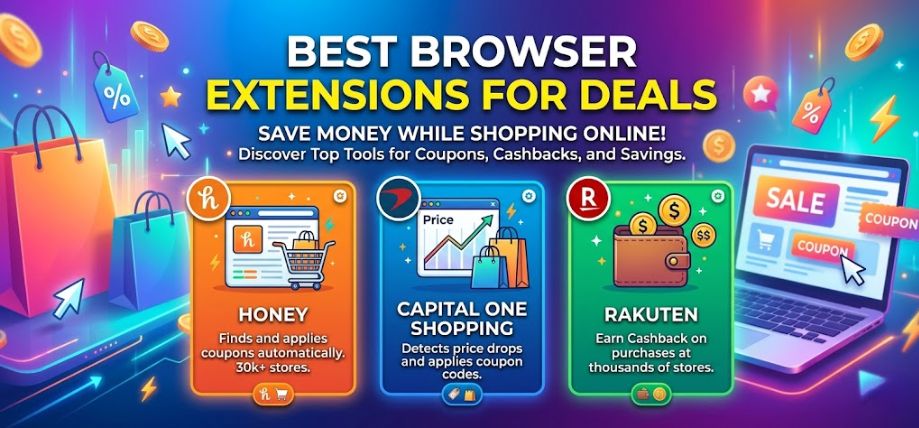
Online shopping in the United States has evolved into a highly competitive marketplace where consumers constantly search for the best prices, hidden discounts, cashback opportunities, and exclusive coupon codes. With thousands of eCommerce stores competing for attention, smart shoppers are now relying on powerful browser extensions to unlock automatic savings without wasting time manually searching for deals.
In this complete guide, we explore the best browser extensions for deals in the US, how they work, why they matter, and which tools provide the biggest savings opportunities for American consumers. Whether you shop on Amazon, Walmart, eBay, Target, Best Buy, or niche online stores, these extensions can dramatically reduce your spending while improving your shopping experience.
Why Browser Extensions Are Essential for Online Shopping
Modern shoppers want convenience, speed, and savings. Browser extensions help automate the process of finding:
-
Coupon codes
-
Price comparisons
-
Cashback rewards
-
Price-drop alerts
-
Hidden discounts
-
Reward points
-
Promo deals
-
Automatic coupon applications
Instead of opening multiple tabs and searching manually, browser extensions perform these tasks instantly during checkout.
The result is:
| Benefit | Description |
|---|---|
| Time Saving | Automatically finds deals |
| Cost Reduction | Applies best coupons instantly |
| Cashback Earnings | Earn money while shopping |
| Better Price Tracking | Alerts when prices drop |
| Smart Comparison | Compare stores automatically |
| Safer Shopping | Detect fake or risky stores |
How Browser Extensions for Deals Work
Most shopping extensions integrate directly into browsers like:
-
Google Chrome
-
Mozilla Firefox
-
Microsoft Edge
-
Safari
-
Brave
-
Opera
Once installed, the extension scans shopping websites and activates features like:
-
Automatic coupon testing
-
Cashback activation
-
Price history tracking
-
Deal notifications
-
Product comparisons
-
Wishlist alerts
These tools use databases containing millions of coupons and pricing records to identify the best available offers in real time.
Best Browser Extensions for Deals in the US
1. Honey – Automatic Coupon Finder
Honey remains one of the most popular shopping extensions in America.
Top Features
-
Automatically applies coupon codes
-
Tracks Amazon prices
-
Rewards program called Honey Gold
-
Price history tracking
-
Works on thousands of stores
Best For
-
Amazon shoppers
-
Daily online purchases
-
Automatic coupon testing
Why Americans Love Honey
Honey simplifies online shopping by removing the need to manually search for promo codes. During checkout, it instantly scans and tests available coupons to identify maximum savings.
Major Supported Stores
-
Amazon
-
Walmart
-
Macy’s
-
Sephora
-
Nike
-
Best Buy
2. Rakuten – Best Cashback Browser Extension
Rakuten is widely recognized for cashback rewards.
Key Features
-
Cashback from thousands of retailers
-
Automatic reward activation
-
Seasonal bonus offers
-
Browser notifications for cashback availability
Why It’s Popular
Rakuten allows users to earn real money back on purchases they were already planning to make.
Average Cashback Rates
| Store Type | Cashback |
|---|---|
| Electronics | 2%–10% |
| Fashion | 5%–20% |
| Travel | 3%–12% |
| Beauty | 4%–15% |
Best For
-
Frequent online shoppers
-
Fashion buyers
-
Travel bookings
3. Capital One Shopping – Smart Price Comparison Tool
Capital One Shopping helps users compare prices across retailers.
Features
-
Price comparison engine
-
Automatic coupon application
-
Rewards credits
-
Price drop alerts
Why It Stands Out
It identifies lower prices on identical products from competing retailers.
Ideal For
-
Electronics
-
Home appliances
-
Tech gadgets
-
Expensive purchases
4. CamelCamelCamel – Best Amazon Price Tracker
This extension specializes in Amazon pricing history.
Core Features
-
Historical Amazon pricing charts
-
Price drop notifications
-
Wishlist tracking
-
Deal alerts
Why It’s Powerful
It helps users avoid fake discounts during major sales like:
-
Black Friday
-
Cyber Monday
-
Prime Day
Best Use Case
Checking whether a product’s “discount” is genuinely valuable.
5. RetailMeNot Deal Finder
RetailMeNot provides both coupon codes and cashback.
Top Benefits
-
Verified promo codes
-
Restaurant discounts
-
Travel deals
-
Cashback opportunities
Popular Categories
-
Food delivery
-
Apparel
-
Hotels
-
Electronics
Why Consumers Trust It
Its coupon verification system removes expired or fake promo codes.
Top Browser Extensions for Amazon Deals
Amazon dominates the US online shopping market. These extensions maximize Amazon savings.
| Extension | Main Benefit |
|---|---|
| Honey | Automatic coupons |
| CamelCamelCamel | Price history |
| Keepa | Advanced price charts |
| Capital One Shopping | Cross-store comparison |
| Slickdeals | Community-driven deals |
Keepa – Advanced Amazon Price Tracker
Keepa is ideal for advanced shoppers who want detailed analytics.
Features
-
Historical pricing graphs
-
Sales rank tracking
-
Stock notifications
-
Lightning deal tracking
Best For
-
Amazon power users
-
Resellers
-
Bulk buyers
Slickdeals Browser Extension
Slickdeals uses community-driven deal discovery.
Major Features
-
User-voted deals
-
Real-time alerts
-
Personalized recommendations
-
Deal scoring system
Why It’s Different
Instead of relying entirely on algorithms, Slickdeals leverages millions of active bargain hunters.
Best Cashback Extensions for American Shoppers
Cashback extensions help users recover part of their spending.
Top Cashback Extensions
| Extension | Cashback Strength |
|---|---|
| Rakuten | High cashback |
| TopCashback | Maximum payout |
| BeFrugal | Competitive bonuses |
| RetailMeNot | Coupon + cashback |
| Swagbucks | Rewards ecosystem |
TopCashback – Highest Cashback Rates
TopCashback focuses heavily on maximizing cashback percentages.
Advantages
-
High payout rates
-
Multiple withdrawal options
-
Retail partnerships
-
Seasonal promotions
Best Categories
-
Travel
-
Electronics
-
Insurance
-
Clothing
Best Coupon Browser Extensions
Coupons remain one of the easiest ways to save money online.
Leading Coupon Extensions
-
Honey
-
RetailMeNot
-
Coupert
-
CouponCabin
-
Piggy
Coupert – AI-Powered Savings Tool
Coupert combines coupons and cashback into one platform.
Features
-
Automatic coupon testing
-
Cashback integration
-
Referral rewards
-
Price tracking
Why It’s Growing Fast
AI-powered systems help identify more accurate savings opportunities.
Best Browser Extensions for Walmart Deals
Walmart shoppers can save significantly using:
| Extension | Benefit |
|---|---|
| Honey | Coupon automation |
| Capital One Shopping | Price comparison |
| Rakuten | Cashback |
| RetailMeNot | Promo codes |
Best Extensions for Fashion Deals
Fashion shoppers benefit greatly from cashback and promo tools.
Recommended Extensions
-
Rakuten
-
Honey
-
RetailMeNot
-
Capital One Shopping
Best Fashion Retailers
-
Nike
-
Adidas
-
ASOS
-
Macy’s
-
Nordstrom
Travel Deal Browser Extensions
Travel costs can be reduced dramatically using specialized extensions.
Top Travel Extensions
| Extension | Purpose |
|---|---|
| Rakuten | Travel cashback |
| Honey | Hotel discounts |
| Capital One Shopping | Booking comparison |
| RetailMeNot | Travel promo codes |
Best Extensions for Students
Students frequently shop on tight budgets.
Ideal Extensions
-
Honey
-
Rakuten
-
Capital One Shopping
-
Coupert
Benefits for Students
-
Textbook discounts
-
Tech savings
-
Clothing deals
-
Food delivery offers
Security and Privacy Considerations
When using shopping extensions, users should prioritize security.
What to Look For
-
Secure permissions
-
Transparent privacy policy
-
Trusted developer
-
Verified reviews
-
Minimal data collection
Avoid Extensions That
-
Request unnecessary permissions
-
Display excessive ads
-
Redirect suspiciously
-
Lack user reviews
How to Install Browser Extensions
For Chrome
-
Open Chrome Web Store
-
Search extension name
-
Click “Add to Chrome”
-
Confirm installation
For Firefox
-
Open Firefox Add-ons
-
Search extension
-
Install and activate
For Edge
-
Visit Edge Add-ons store
-
Install extension
-
Enable permissions
Tips to Maximize Savings Using Extensions
1. Combine Cashback and Coupons
Use cashback extensions alongside coupon finders.
2. Track Prices Before Buying
Price tracking prevents impulse buying during fake sales.
3. Enable Notifications
Deal alerts help users catch flash discounts.
4. Compare Across Retailers
Never purchase immediately without price comparison.
5. Stack Reward Systems
Combine:
-
Credit card rewards
-
Cashback
-
Promo codes
-
Loyalty points
Browser Extensions vs Mobile Shopping Apps
| Feature | Browser Extensions | Mobile Apps |
|---|---|
| Automatic Coupons | Excellent | Moderate |
| Cashback | Strong | Strong |
| Price Tracking | Excellent | Limited |
| Checkout Automation | Strong | Moderate |
| Convenience | High | High |
Future of Shopping Browser Extensions
AI and machine learning are transforming online shopping tools.
Upcoming Innovations
-
Predictive pricing
-
Personalized discounts
-
Smart deal recommendations
-
AI shopping assistants
-
Dynamic cashback optimization
The future will likely bring even deeper integration between browsers, retailers, and shopping intelligence systems.
Best Combination of Extensions for Maximum Savings
For optimal savings, many American shoppers combine multiple extensions.
Recommended Setup
| Purpose | Best Extension |
|---|---|
| Coupons | Honey |
| Cashback | Rakuten |
| Amazon Tracking | CamelCamelCamel |
| Price Comparison | Capital One Shopping |
| Community Deals | Slickdeals |
Common Mistakes Online Shoppers Make
Ignoring Price History
Many shoppers buy during fake sales without checking historical prices.
Not Activating Cashback
Users often forget to activate cashback before checkout.
Installing Too Many Extensions
Too many extensions can slow browsers and create conflicts.
Ignoring Permissions
Always review what data an extension accesses.
Why Smart Shoppers Use Deal Extensions Daily
Consumers in the US are increasingly using browser extensions because they offer:
-
Instant savings
-
Better shopping decisions
-
Automated discounts
-
Reward opportunities
-
Smarter budgeting
In a world where online prices change constantly, browser extensions provide a major competitive advantage for consumers.
Best Browser Extensions by Shopping Category
| Shopping Category | Recommended Extension |
|---|---|
| Electronics | Capital One Shopping |
| Fashion | Rakuten |
| Groceries | Honey |
| Amazon | Keepa |
| Travel | Rakuten |
| General Shopping | Honey |
| Student Shopping | Coupert |
| Cashback | TopCashback |
How Deal Extensions Help During Major Sales
During:
-
Black Friday
-
Cyber Monday
-
Prime Day
-
Back-to-School Sales
-
Holiday Discounts
browser extensions become even more valuable.
They help:
-
Detect fake markdowns
-
Compare retailer prices
-
Find hidden coupons
-
Track limited-time discounts
FAQs
1. What is the best browser extension for online shopping deals?
Honey is one of the best overall extensions for automatic coupons and discounts.
2. Which browser extension gives the highest cashback?
TopCashback often provides some of the highest cashback percentages.
3. Are shopping browser extensions free?
Yes, most shopping extensions are completely free to use.
4. Can browser extensions save money automatically?
Yes, they automatically apply coupons and cashback offers during checkout.
5. Is Honey safe to use?
Yes, Honey is widely trusted and used by millions of shoppers.
6. What extension is best for Amazon price tracking?
CamelCamelCamel and Keepa are top choices.
7. Do cashback extensions really pay users?
Yes, cashback rewards are real and can be withdrawn.
8. Which browser works best with shopping extensions?
Google Chrome supports the largest extension ecosystem.
9. Can I use multiple shopping extensions together?
Yes, many users combine multiple tools for maximum savings.
10. What is the best extension for Walmart deals?
Honey and Capital One Shopping work well for Walmart purchases.
11. Are coupon extensions accurate?
Top extensions verify coupon codes regularly.
12. Can shopping extensions slow down browsers?
Too many extensions may reduce browser performance.
13. Which extension is best for students?
Coupert and Honey are excellent for student savings.
14. What extension is best for fashion shopping?
Rakuten provides strong cashback for fashion retailers.
15. Do browser extensions work on mobile devices?
Some offer mobile app versions with similar features.
16. What is the safest shopping extension?
Trusted extensions from reputable companies are safest.
17. Are cashback rewards taxable?
In many cases cashback is treated as a rebate, not income.
18. Which extension finds hidden promo codes?
Honey and RetailMeNot excel at coupon discovery.
19. Can extensions compare prices automatically?
Yes, Capital One Shopping specializes in price comparisons.
20. Do extensions work internationally?
Many work globally, though cashback rates vary.
21. What is the best extension for Black Friday shopping?
Keepa and CamelCamelCamel help detect real discounts.
22. Can extensions help avoid fake deals?
Yes, price history tracking reveals genuine discounts.
23. Which extension is best for travel deals?
Rakuten offers strong travel cashback opportunities.
24. How do I install browser extensions?
Install them through official browser extension stores.
25. Are browser extensions worth using daily?
Absolutely. Frequent shoppers can save significant amounts annually.
Key Takeaways
-
Browser extensions automate savings
-
Cashback tools return money on purchases
-
Price trackers help avoid fake discounts
-
Coupon extensions simplify online shopping
-
Combining tools creates maximum savings
Top Recommended Extensions Summary
| Extension | Best Feature |
|---|---|
| Honey | Coupon automation |
| Rakuten | Cashback |
| Keepa | Amazon tracking |
| Capital One Shopping | Price comparison |
| Slickdeals | Community deals |
| RetailMeNot | Verified coupons |
| Coupert | AI-powered savings |
For more information and to start using Deonus.com, visit our official website and download the app to stay updated on the best deals and offers. With Deonus.com, you can ensure that every shopping experience is not just an opportunity to shop but an opportunity to save big